Moderate suspicious users with consistent trust signals
Trusted Accounts helps you surface suspicious accounts and investigate sessions with explainable signals. Fully automated moderation is coming soon; today you can moderate with confidence using the admin workflow.
Awarded and supported by


Moderation is expensive — make it smarter
Triage suspicious users faster without losing context
Investigations need account context and session history. Trusted Accounts makes suspicious activity reviewable and actionable in the admin-panel.
Suspicious behavior scales faster than your team
Manual moderation doesn’t scale. Trusted Accounts helps you triage suspicious activity using consistent trust signals.
Unclear account risk decisions
When “why” is unclear, decisions vary and trust becomes inconsistent. Moderation needs explainable signals.
Investigations are time-consuming
You need account-level and session-level context so you can investigate efficiently and apply consistent outcomes.
Analytics don’t reflect what you actually moderated
With the admin-panel view, you can track moderation and understand the types of threats you’re dealing with.
How it works
Review with explainable context
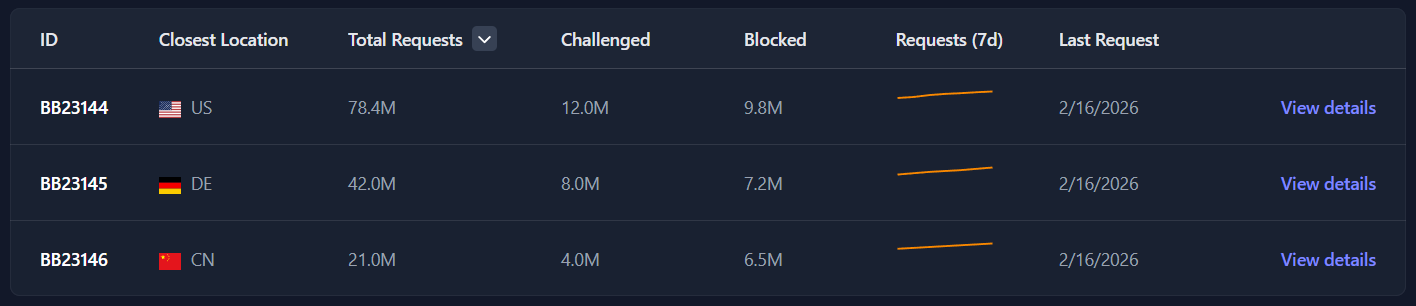
The user moderation view helps teams identify suspicious users, apply severity-aware decisions, and investigate session details when required. Fully automated workflows are coming soon.
- Map suspicious activity to users
- Trusted Accounts identifies suspect accounts and sessions and makes them reviewable in the moderation workflow.
- Apply trust signals and severity
- Review flags with severity and threat context so you can decide on the right next step.
- Moderate with consistency
- Use account + session views so moderation decisions stay consistent across your team.
- Scale and iterate
- Tune your moderation approach with visibility and trends in the admin-panel. Fully automated moderation is coming soon.
- Switch between account and session views for investigations.
- Use filters to triage by severity and threat context.
- Apply consistent decisions with trust signals as your “why.”
Key benefits
Triage faster with review workflows that scale
Trusted Accounts provides the UI and trust signals for human review today — and automation as it becomes ready.
- Accounts and sessions moderation
- Review suspicious accounts and investigate session details when needed.
- Severity-based workflows
- Filter and triage by threat level, severity, and threat type signals.
- Explainable trust signals
- See the signals behind moderation so your team can make confident decisions.
- Privacy-first design
- Built to minimize invasive tracking while still enabling review workflows.
- Operational visibility
- Track moderation outcomes and understand threat types over time.
Frequently asked questions
The website aligns with what the admin-panel provides today: review workflows, with fully automated moderation coming soon.
- Is automated moderation already live?
- Not fully. The admin home screen notes that fully automated user moderation is not yet ready and is coming soon. Today you can triage and moderate with the admin workflow.
- Can I investigate session-level context?
- Yes. The moderation view supports both account and session details so you can investigate efficiently.
- How do we decide what to do with flagged users?
- Use the severity and threat signals provided by Trusted Accounts to prioritize and apply consistent moderation actions.
- What happens when there’s nothing suspicious?
- The moderation view supports empty states so your team can quickly confirm that the workflow is ready and data is flowing.
Scale moderation with explainable trust signals
Start for free and open the user moderation view in the admin-panel. Fully automated moderation is coming soon.